Phasica GUI
Graphical User Interface Design

Background
Phasica is a startup with the goal of creating affordable, high precision, and easy-to-use 3D scanners. To accompany their scanners, they have developed software to allow the user to complete various processes including calibrating the system, capturing images, viewing a 3D model, and exporting the data to other applications.
Details
- The interface uses a conservative color scheme, which would be appropriate for a professional work environment. With sufficient contrast, it is accessible to colorblind users.
- The font used for this interface is Source Sans Pro.
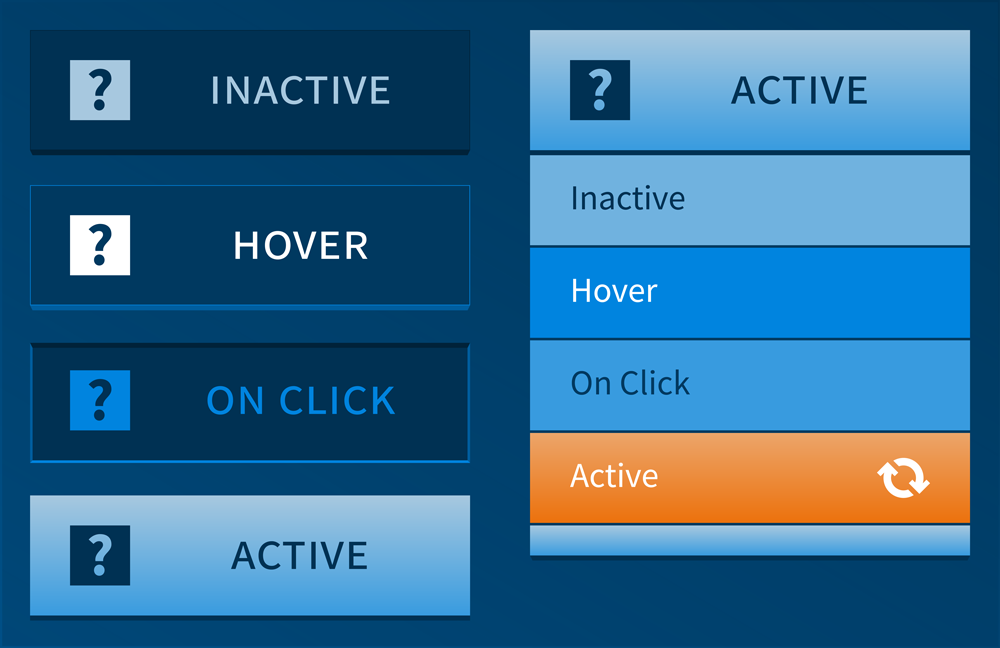
- The hierarchy of processes is represented using primary and secondary button styles:
- Primary buttons are comprised of icons and text labels. The icons create a strong emphasis while the text ensures usability. The icons are vector-based to ensure clarity regardless of device size or resolution. Primary button text is set in small caps.
- Secondary buttons are text only, ensuring usability while providing contrast.
- Each primary and secondary button has four possible states, including inactive, hover, click, and active. Styles are included for each of the possible states to give the user visual feedback.